Use Zoom option of your Smartphone Camera to Magnify Fine Print
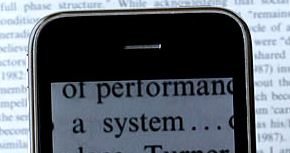
Have trouble reading fine print? Most packaged products & medicines these days have labels with text so tiny, even those with perfect eyesight can have trouble deciphering what's printed. Rather than buy & carry a magnifying glass to tackle this issue, your own smartphone can be of help. Most smartphone cameras come with a digital zoom option that can come in handy to magnify text printed in a small font size. After your camera app is on, point your camera at the text you want to read and then pinch two or more fingers together or spread them apart to zoom in or out for desired size . Source: Quora Digital zoom refers to the level of additional magnification achieved through a camera’s internal cropping abilities, by way of software. Optical zoom is the phrase used to indicate the strength of a given lens’ optical magnification. I had almost written off my Lyf Wind 3 smartphone but after three months of usage, I'm starting to be impressed with the fe...