Posts

This Week I Learned - Week #77

This Week I Learned: jQAPI.com  provides a quick way to browse jQuery documentation. It is very nice of them that they offer a downloadable copy of the site for offline reference. Local version of jqapi.com needs to run on a web server to work in Chrome or else the   --allow-file-access-from-files flag has to be used to run it within Chrome To edit a date within a cell in a Google Spreadsheet using a date-picker, double click on that cell. Apple relies more on people finding bugs than using automation-testing technology, according to former employees. Apple also relies heavily on outside developers to test early versions of the software to report glitches that can be fixed. Apple has a committee to determine what bugs need to be fixed called the Bug Review Board, known internally as BRB. "...software updates -- are a strength for Apple and something that is easier for them than for almost any other device or operating system maker, because Apple has full control of th...
Book Review: The Case of the Bonsai Manager

Image
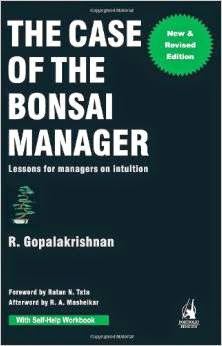
The Case of the Bonsai Manager offers valuable suggestions on how managers can realize their full potential and avoid becoming stunted like the bonsai. The author, R Gopalakrishnan, is a well-respected Management veteran, well-traveled (during the first 30 years of his careers, he did not live in the same house for more than four years) and well-read (going by the diverse areas of knowledge he draws examples from). This qualifies him to be called a guru. It is fortunate for us that he sat down to write this very insightful book. Drawing on science facts from Nature, business case-studies and anecdotes from his rich personal experience, the author builds powerful examples to reinforce his ideas for self-development. The writing is informal, light-hearted and entertaining. The key learnings of each chapter are neatly summarized at the end. This makes it easier to put the ideas into action. There are also some self-awareness exercises that can be used to help personalize the in...

HOW TO preview an online PDF or MS Office document without downloading it

Image
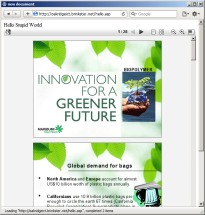
Let's say someone on a forum you participate in shares a link to a PDF  or Office document available online. It may not always be safe to download it  to your local computer. Even if it was safe, you may not want to download a large file just for some small information that you need. It is for this kind of scenarios that you can use Google Docs Viewer. Append the URL to the online document that you got to the URL of the Google Docs Viewer service, thus - https://docs.google.com/viewer?url= http://example.com/AHugeFile.pdf The pages of the document are presented as images making it easy to jump to a specific page of interest. You can also choose to download the document from Google's server instead of the downloading it directly from the original source, using the File > Print feature of the Google Docs Viewer and save the file as a PDF. Is that downloaded PDF safe to open on your computer? I don't know but because Google processed it, I assume it should be ...