GitHub Markdown Keyboard Shortcuts
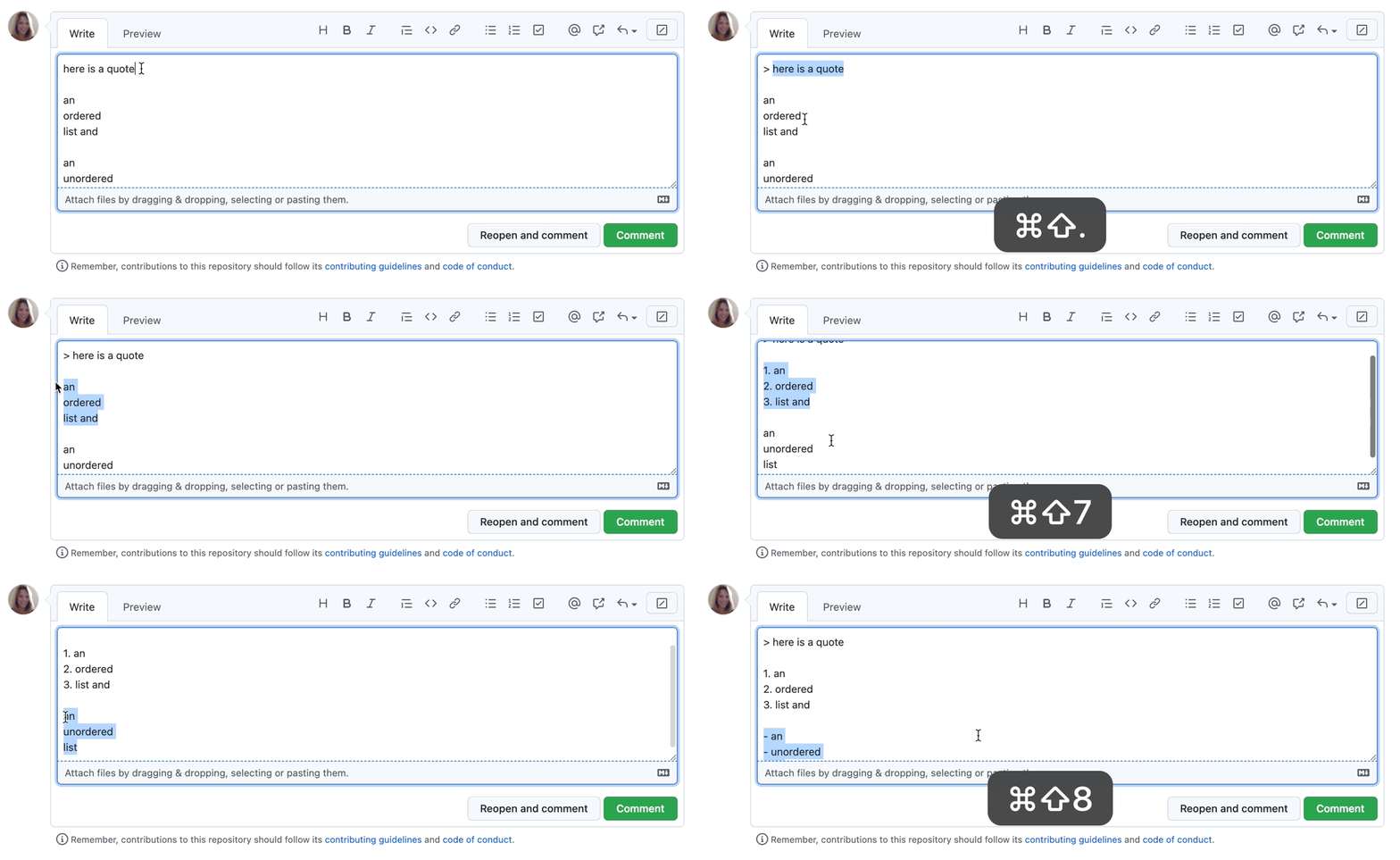
GitHub's web editor (used in issues, pull requests, comments, Markdown files, etc.) has built-in keyboard shortcuts that work in the standard Markdown editing mode -
| Keyboard Shortcut | Description |
|---|---|
| Ctrl + B | Inserts Markdown formatting for bold text |
| Ctrl + I | Inserts Markdown formatting for italic text |
| Ctrl + E | Inserts Markdown formatting for inline code (one-liner) |
| Ctrl + K | Inserts Markdown formatting for a link |
| Ctrl + Shift + 7 | Inserts Markdown formatting for an ordered (numbered) list |
| Ctrl + Shift + 8 | Inserts Markdown formatting for an unordered (bullet) list |
| Ctrl + Shift + . | Inserts Markdown formatting for a blockquote |
| Ctrl + Shift + P | Toggles between Write and Preview tabs (in comments, issues, PRs, or file editor) |
| Ctrl + Enter | Submits the comment/form (in issue/PR/comment fields) |
| Ctrl + V (with text selected) | Converts pasted URL into a Markdown link |
| Ctrl + Z | Undo last action |
| Ctrl + Y | Redo last action |
Note: These shortcuts work in GitHub’s web editor for comments, issues, pull requests, Markdown files, and the file editor (including github.dev). They are specific to Windows/Linux. (Mac uses Command instead of Ctrl.)


Comments
Post a Comment